Skip to content
October 30, 2026 · Taste Test

AI for Family Activity Planning

AJ Gauravdeep introduces Joolian’s work on family activity planning, then participants will use AI tools to build and demo an app concept in a small team.

Friday, October 30, 2026 · 1:00–4:00 p.m. · soft finish
California Mission Room · Benson Memorial Center 036 (basement), Santa Clara University
Directions to Benson 036

Presenter: AJ Gauravdeep, Interim Chief Marketing Officer at Joolian

Student host: Misa Truong

Watch the recording

About the session

AJ Gauravdeep, Interim Chief Marketing Officer at Joolian, will introduce the family activity planning problem Joolian is working to solve, why it matters, and what the team is building. Participants will then form small teams and use an AI coding tool to create a working prototype or demo. The session closes with short presentations and demos from each team.

Session slides

AJ Gauravdeep · Joolian · 12 slides

Made in the session

Two groups explored good and evil versions of children’s apps. These are workshop prototypes for critique: compare the choices each version makes.

Dino World

One dinosaur story app, two approaches to keeping children watching and helping them stop.
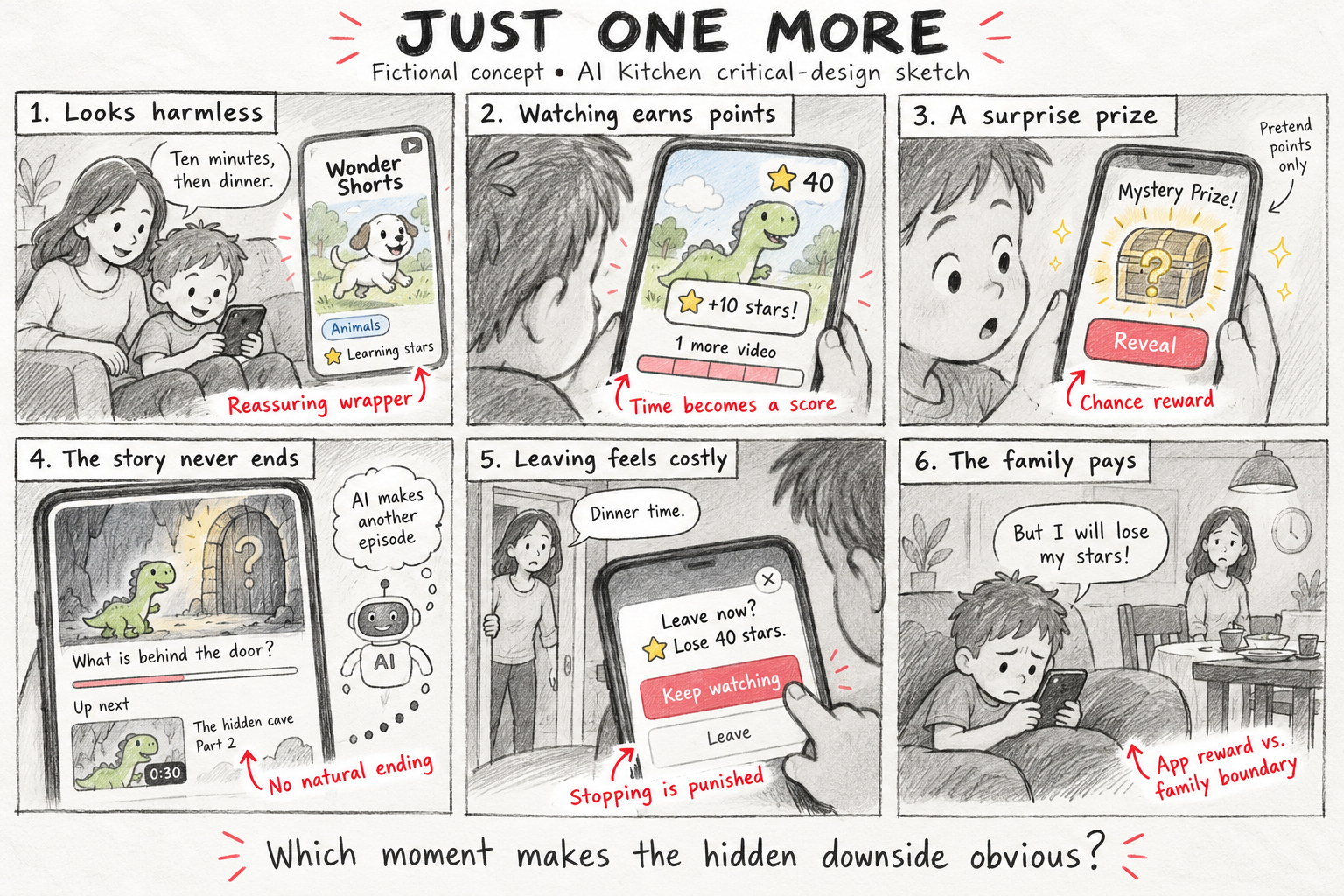
Just One More, a six-panel storyboard: an app looks harmless, watching earns points, surprise prizes encourage more viewing, stories never end, leaving costs stars, and a child resists stopping for dinner.

Original storyboard · Just One More

The starting concept for Dino World’s evil version: points, surprise prizes, and cliffhangers make it hard to stop watching.

View the full-size storyboard
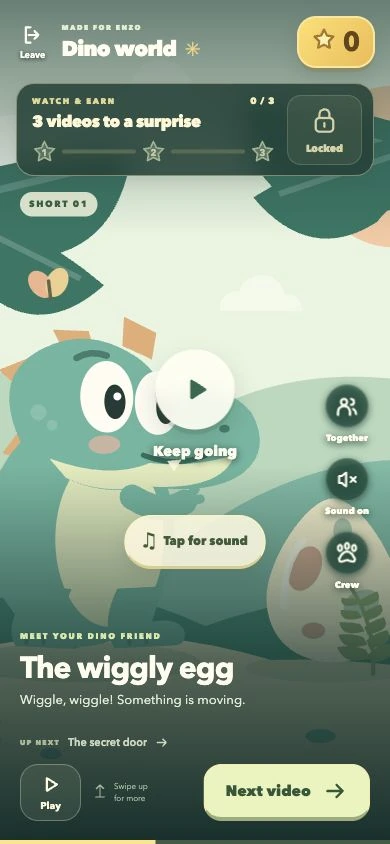
Dino World’s evil Watch & Earn version with stars and prizes for watching stories.

Evil version

Watch & Earn

Watching earns prizes. Leaving costs stars.

Try the evil version
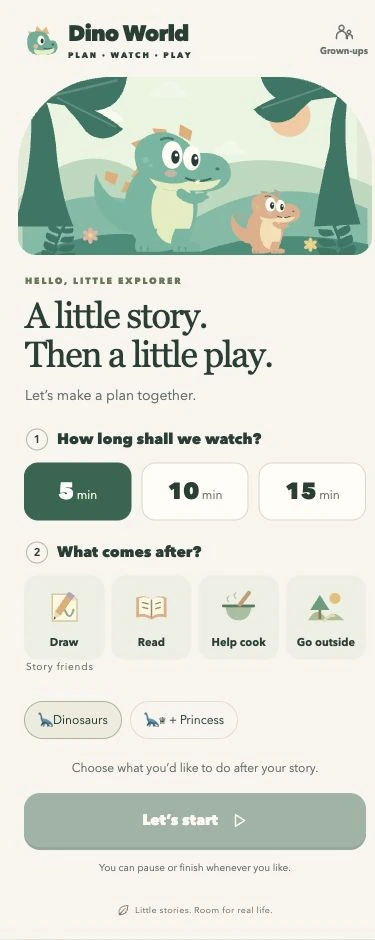
Dino World’s Plan & Play version with a viewing duration and a choice of offline activity.

Good version

Plan & Play

Choose a time, finish the story, then move to an offline activity.

Try the good version
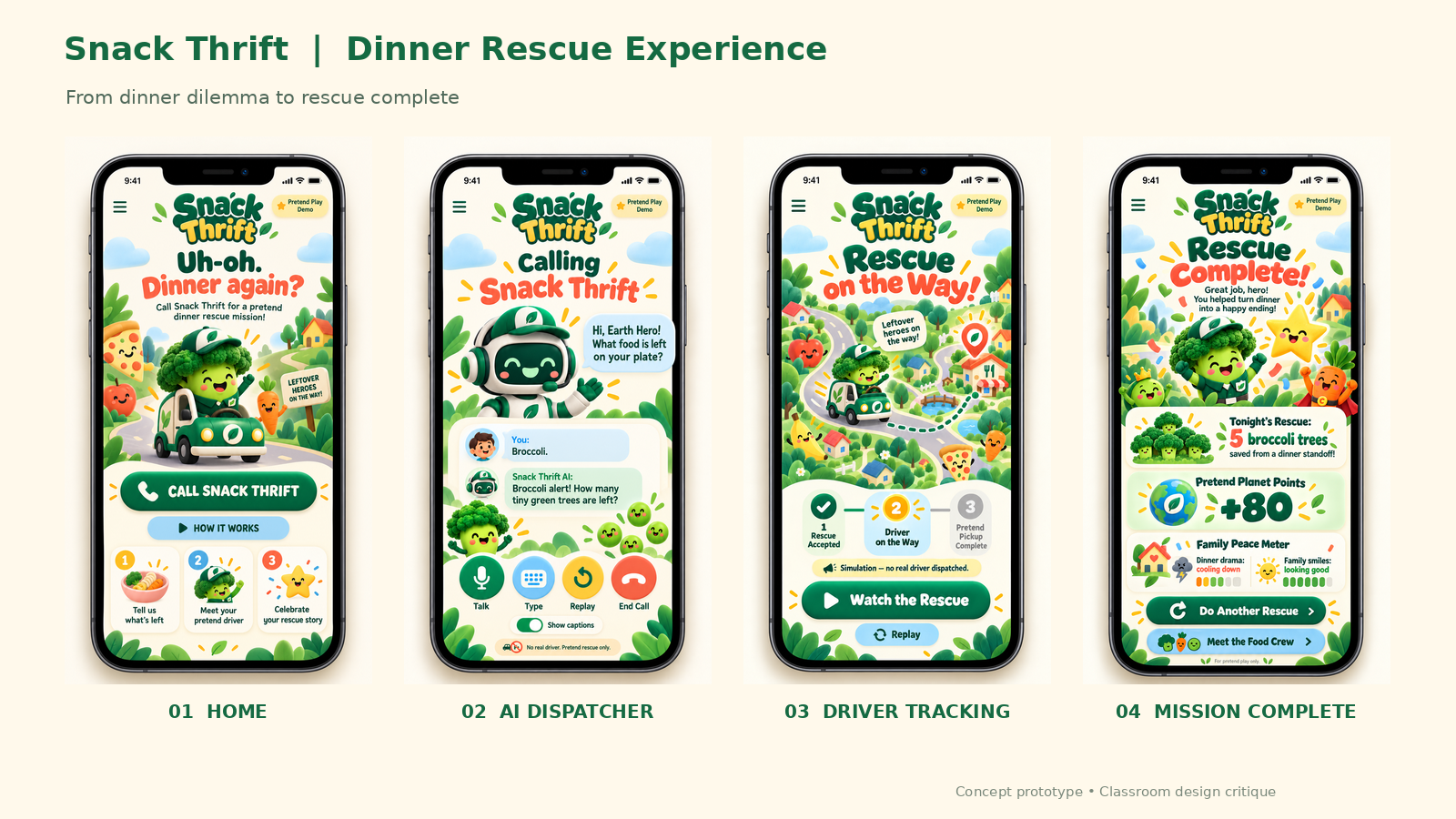
Snack Thrift

Shared by Jeremy Kemp and his group.

Four-phone concept board for Snack Thrift’s evil version, showing Home, an AI dispatcher, driver tracking, and Mission Complete with pretend points.

Evil version · screenshots

A satirical food-rescue dispatcher for kids.

View the screenshots

Good version · concept video

A concept for turning fridge ingredients into meals and sharing food with neighbors, shown through meal ideas, a delivery drone, and a family cooking together.

Open the video

Build a prototype with AI

Choose one of the challenges below and work with your team to turn an idea into a small prototype:

1. Build the worst app for kids

Imagine an app for children ages 3–8 that a parent might allow, but that is secretly terrible for them in some way. Create a deliberately flawed concept and think critically about what makes technology good or bad for children.

2. Solve a problem from your childhood

Think of a problem you experienced while growing up, or something you wish had existed. Build a small app or feature that tries to solve it.

Aim for a working prototype or demo; it does not need to be polished. Helpers will be available to brainstorm and support teams as they build.

Try it yourself

Work with your team to turn one challenge into a simple app concept you can click through or demonstrate. Use AI as a collaborator, and make the key decisions together.

  1. Choose a challenge. Pick the kids’ app you want to critique or a childhood problem you want to address. Agree on who the app is for and what it should do.
  2. Plan one useful moment. Describe a single situation the app should handle. Ask your AI tool to help brainstorm a few approaches, then choose the one your team wants to explore.
  3. Build a small prototype. Ask AI to create a simple screen or feature that shows the idea in action. Keep the scope small enough to finish and make changes as you go.
  4. Try it and revise. Walk through the prototype as if you were a child or caregiver. For the deliberately bad app, identify the hidden downside and how a parent might miss it; for the childhood-problem app, check whether the feature would actually help.
  5. Get ready to share. Prepare a short demo: name the challenge, show what you made, and explain one choice your team made about the role of AI.

Your prototype can be rough. A clear idea and a thoughtful explanation matter more than a finished product.

Get ready to build

Bring a laptop. You’ll work with a team to turn one of the challenges into a demo you can share.

Choose your AI tool

Choose an AI tool your team can use to explore the challenge, shape an idea, and make a small app or feature:

  1. Shape the idea: decide what your app should do, whether you are imagining a deliberately bad kids’ app or solving a problem from your childhood.
  2. Make it tangible: use AI to create and revise a small feature, then get your prototype ready to show.
Claude Code, ChatGPT, and Codex are all options. Your team can use one tool throughout or use different tools to plan and build. For more choices, see the AI Tools Guide for SCU Students.